Your Python Starter Pack (part 1) 🐍

As Minibuilders, we want to build tools to make our lives and our jobs easier. But what happens when the building process itself is a pain? Surely, life would not be very fun, and we might as well just perform our tasks manually then.
Thankfully, all it takes is a little bit of upfront work setting up each project with the right tools to make the development process a breeze, and increase the quality of the code we write. This will be appreciated by both our collaborators and reviewers, but most importantly: ourselves. After all, if we do not enjoy ourselves when coding, what are we even doing?
Unless its title does not make this obvious, this post is going to be Python-specific, as it is by far the simplest and best language to get started on our Minibuilding journey. Hop in, because we're just getting started!
Where do I write my code?
As you may know, Python code can be written in any application that lets you write text files. For example, if you work on Windows, you are able to write Python code (as well as code in other languages) directly in the Notepad application. It only requires you to change the .txt file extension to .py for it to work.
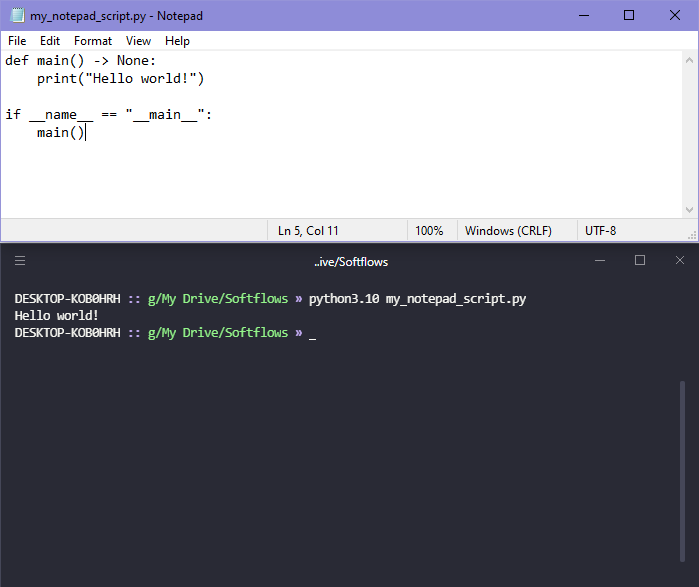
But just because we can doesn't mean we should! Let's make a list of some of the things we will be missing out on by deciding to write our code using such a crude application.
- Syntax highlighting
- Autocomplete
- Feedback on syntax mistakes, such as inconsistent indents, missing colon, etc.
- A simple way to switch between code files
And let's be honest, it's not the most appealing thing. I thought looking like a hacker was also part of the fun of coding?
To remedy this, we are given the choice of one of two types of application:
- Text editors, which are essentially beefed-up versions of Notepad that pack all of the nifty features we want, and more.
- Integrated Development Environments (commonly referred to as "IDE"), which are more feature-rich applications, meant to cover the full spectrum of the developer experience. The need for tooling when working in Python is quite a bit reduced compared to compiled languages like C++, but the inclusion of a debugger as well as testing and profiling tools can still prove to be quite useful.
Among the most common options, are:
- Sublime Text, a text editor with support for most languages, including Python.
- PyCharm, a full-fledged IDE with an extensive feature set, your one-stop shop for your development needs.
- Visual Studio Code (commonly shortened to "VSCode"), which is, for lack of a better descriptor, "IDE-ish", as it is a text editor which can be extended in many ways thanks to extensions (e.g. the aptly-named Python extension would be your first stop).
While the choice of editor is really a matter of personal preference, I would recommend VSCode, as it is unlikely to overwhelm you with features from the get-go, yet provide extension opportunities when your needs evolve. That, and we can make our code look ✨~pretty~✨ (even though that's not VSCode specific).
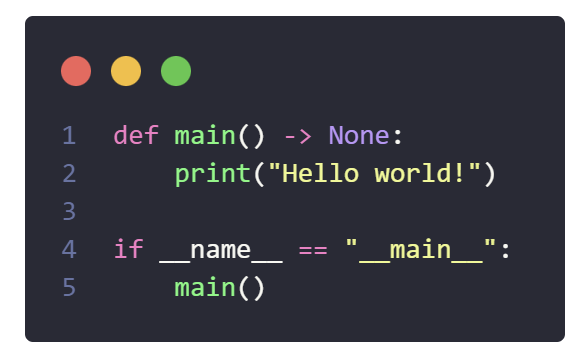
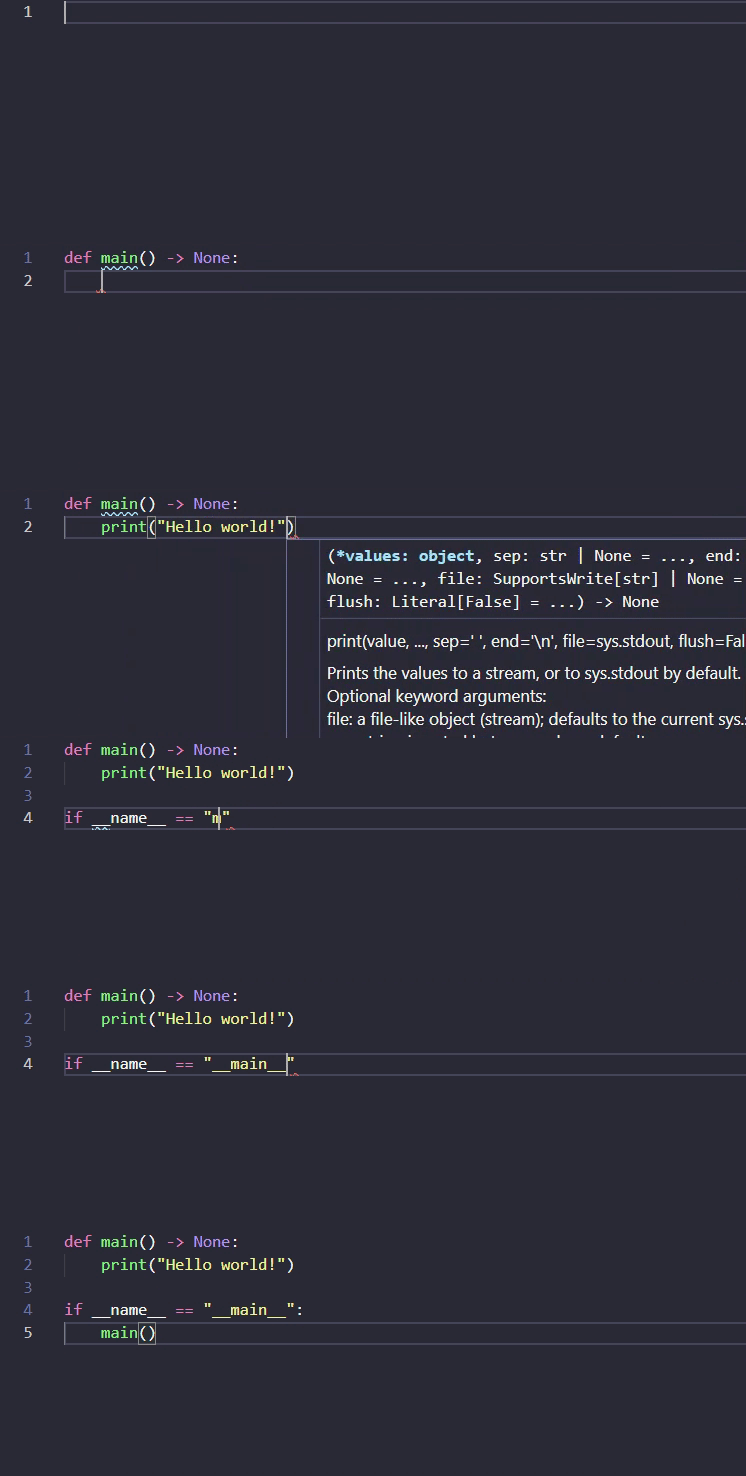
Once you have your editor (and the Python extension if you opted for VSCode), you should be benefiting from some immediate feedback when writing your code, like autocompletion. If you want to extend the capability of the autocomplete features of your editor, you could look into some of the new tools that leverage powerful machine learning models to serve you context-aware completions, such as Tabnine.
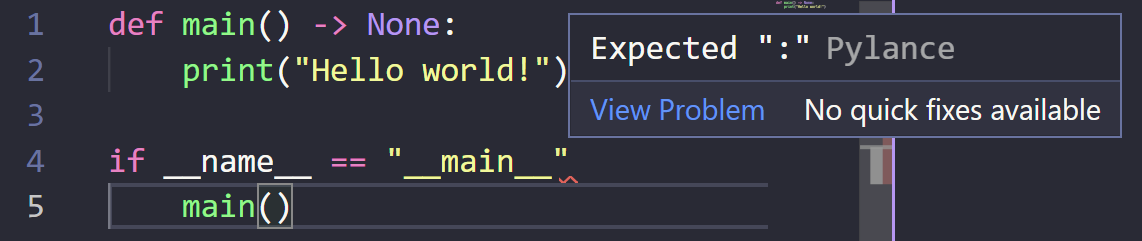
Another benefit we have mentioned is the highlighting of errors. This is done by a tool called a linter. A linter is a class of tools which analyze your code and looks for issues. Pylance, the tool packaged within the VSCode Python extension, for example provides immediate feedback for most common errors you could make in your code. But we can make use of linters in a more extensive fashion, by having certain specific checks trigger at specific moments of the development process.
Code style
So far, we've talked about writing code, but what about writing code that is nice to read, consistent, and easy to pick up by others? In most cases, you should be making reasonable efforts to adhere to the PEP8 standards, along with any internal style guide your company may have (e.g. the Google style guide).
While I encourage people to read through the PEP8 standards to get an idea of what Python code should look like, we have access to a few tools that help us write consistently formatted code that is in line with coding standards.
First, code formatters allow us to write code that is consistent in terms of style, and thus reduce the mental load that formatting takes on us, so that we can focus on what really matters. This, coupled with the fact that most editors allow us to run these code formatters on each save of a file, usually translate in a substantial boost in productivity for developers. Your main options for Python code formatters are:
Again here, it is largely a matter of personal preference. I personally prefer Black, as it is very opinionated and does not really allow for configuration, which means I really don't have to think about formatting at all. I have delegated it all to Black. If you feel strongly about the Google style guide, then I would recommend you use yapf to ensure a certain level of automation in your workflow.
Now, let us go back to linters. We've talked about how useful they can be by providing you with some immediate feedback when you write your code, but they can be used beyond that to ensure that the code adheres to the PEP8 standards.
My linter of choice is Flake8, which is a wrapper around three distinct tools:
- Pyflakes, which checks our code for errors.
- PyCodestyle (formerly known as pep8), which checks our code against the PEP8 conventions.
mccabe, which checks our code for cyclomatic complexity. A lower cyclomatic complexity leads to code with a lower number of branching paths, and therefore more easily readable.
After installing flake8, you can run it on your project directory via a terminal/console, either calling the flake8 command if it is part of your PATH, or by running the module through the python command (or any version-specific command).
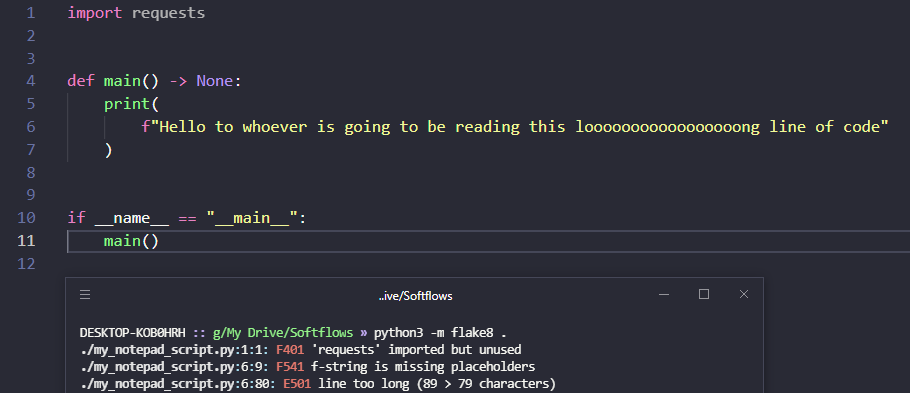
As you can see in my example above, flake8 highlighted three issues with my code, an unused import, a redundant f-string, and a line that is too long. Those are all things I should fix prior to considering my work "done" on this (very complex) project.
If you want to configure your flake8, you can drop a file named .flake8 at the root of your project. For example, we need to remove conflicts between flake8 and Black, to avoid our use of Black to be simply counterproductive.
[flake8]
max-line-length = 88
extend-ignore = E203Hook, line and sinker
I can already hear you asking:
"How often should we run flake8? Every time we save a file? Before we deliver our project for review?"
For that, let me refer to the notion of the "Owner mindset", which we discussed in the previous post. If you are truly the owner of your project, then you do not see the review of your work as a crutch, i.e. you don't expect sloppy work to be fixed by whoever you deliver it to. Instead, you ensure that the work delivered is of the utmost quality, as if there was no safety net.
First of all, only the simplest of projects should be delivered as a single block. As soon as multiple features start being introduced, we should strive to deliver these features incrementally, in order to ensure that the introduction of these features does not break anything in the rest of the codebase. To do this, we need to start using source control, using Git. The main idea behind source control, is that we "commit" changes to our code, which produces a new, parallel, version of our code, which makes it easy to revert to a previous version if something got broken along the way. A "commit" represents the implementation of a piece of code that works within our codebase, and, as such, we should ensure that it follows the standards that we've set for ourselves.
What if we could find a way to have flake8 run every time we perform a "commit" of our code? What if we collaborate with someone who is not using Black when their files save? Since the Black format is one of our standards, we should ensure that it is run every time a "commit" is performed as well!
As you may have guessed, this is something that exists, in the form of an amazing tool called pre-commit. The idea of pre-commit, is to have a way to run checks and fixes for our codebase before we commit, thus making sure that we are not leaving those mistakes for our reviewer to fix. It orchestrates the running of scripts as git hooks, that trigger whenever we make a commit. And last but not least, it is fully extensible, so your teams may develop their own pre-commit hooks, if the many hooks included out of the box are not sufficient.
For the full installation process, refer to the guide provided on pre-commit.com, but to make it short:
- Install the
pre-commitpackage. - Add a configuration file named
.pre-commit-config.yamlat the root of your project. See my default configuration below, which integrates additional checks, such asreimport-python-importsandpyupgrade. - Install the hooks by running
pre-commit installin a terminal/console.
repos:

-   repo: https://github.com/asottile/reorder_python_imports
    rev: v3.1.0
    hooks:
    -   id: reorder-python-imports

-   repo: https://github.com/pre-commit/pre-commit-hooks
    rev: v4.2.0
    hooks:
    -   id: check-ast
    -   id: trailing-whitespace
    -   id: check-added-large-files
    -   id: debug-statements
        language_version: python3

-   repo: https://github.com/psf/black
    rev: 22.3.0
    hooks:
    -   id: black

-   repo: https://github.com/asottile/pyupgrade
    rev: v2.32.1
    hooks:
    -   id: pyupgrade
        args: [--py36-plus]

-   repo: https://gitlab.com/pycqa/flake8.git
    rev: 3.7.9
    hooks:
    -   id: flake8
        additional_dependencies:
          - flake8-black>=0.1.1
        language_version: python3
At every commit, these checks will run, and should they fail, two outcomes are possible:
- The error will be fixed and a re-commit is needed (e.g. for failures from Black);
- The error will need to be fixed manually and the code re-committed (e.g. for failures from flake8).
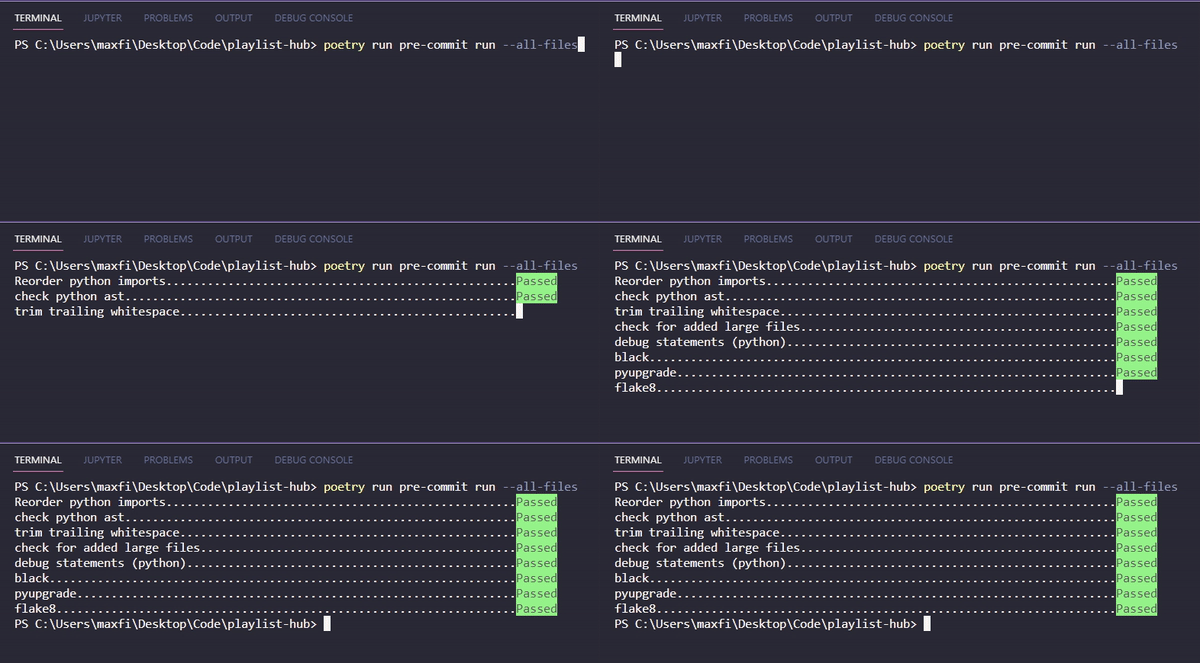
poetry run command 🤔? See you in part 2 for the answer!Conclusion
Good quality code is something every minibuilder should strive for. After all, how good can our tools be if they cannot easily be reviewed, audited, maintained, or extended for future use? The first step in increasing the quality of our code is to define the tools that exist that will help make our job easier. Think of this as a little meta-process, we invest into our tools to then build better tools.
But this is not the end. In a second part, we will focus on collaboration in development as well as helping others run your code! Doing so will require us to do a deep dive in environment and dependency management as well as server-based source control tools such as Github.
See you there, and in the meantime, please feel free to post your questions in the comment box below!


Comments ()